Windows · Windows 工具
ExplorerExt
Enhance Windows File Explorer with double-click to go up and quick access to frequent paths, boosting your file browsing efficiency.
Version
v1.0.0
Size
0.4 MB
Supported OS
Windows 10 / 11
License
Free Software
Overview & Features
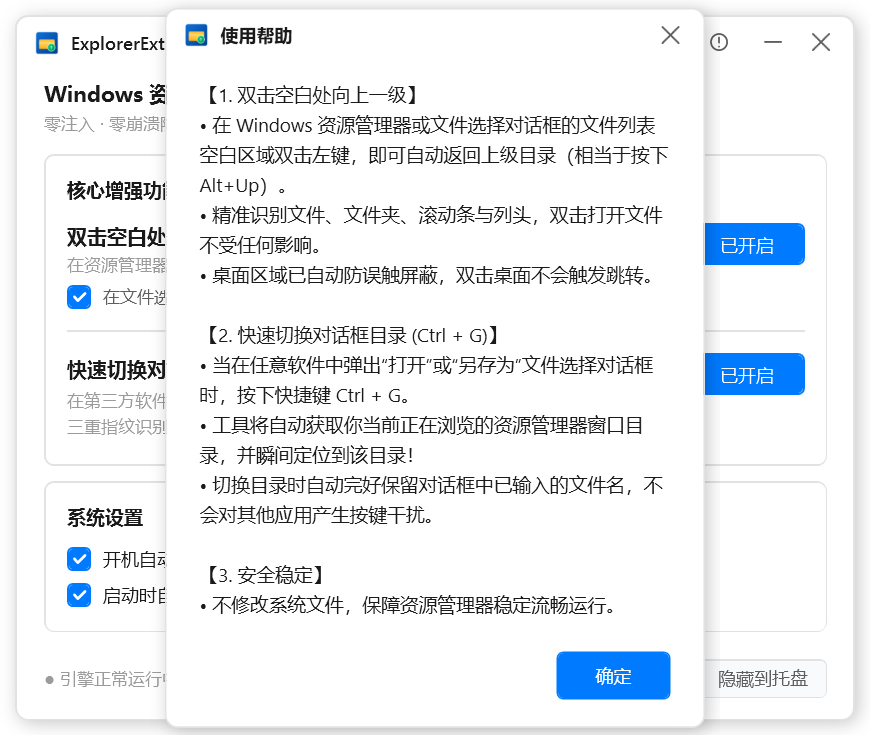
ExplorerExt is a completely free native utility designed to supercharge your Windows file browsing efficiency. It allows you to double-click on any empty area within a folder to instantly go up one level, and provides quick access to your most recent directories. Unlike heavy alternatives, ExplorerExt runs natively with minimal system overhead—no bulky global hooks—ensuring buttery-smooth operation.
Key features:
- Double-click empty space to navigate to the parent folder.
- Quick popup for direct access to frequently used paths.
- Native Fluent interface with low-power monitoring.
- Lightweight and free, with no impact on system performance.
Usage: Simply install ExplorerExt and start using double-click navigation in File Explorer. The tool runs silently in the background, ready whenever you need it.
Changelog (v1.0.0)
• Initial release with native Fluent interface and low-power monitoring
• Support for double-click on empty area to go up and quick access popup for frequent paths